Memory Monitor
The Memory Monitor keeps track of the memory usage during memory intensive operations such as Build, Lint (Verissimo) and notifies you when:
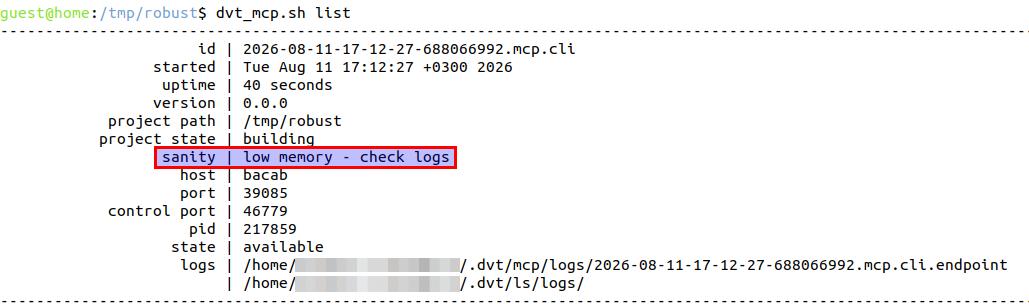
The operation in progress is significantly slowed down by low memory:
A memory starvation state is reached:
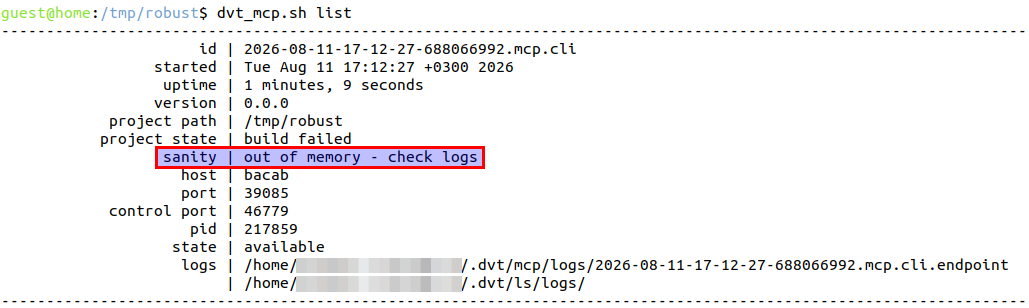
The log files contain additional information regarding the memory state.
When an MCP CLI Endpoint runs out of memory, every subsequent tool invocation returns a descriptive error message.
To disable the Memory Monitor, add the +dvt_disable_memory_starvation_handling directive in the build configuration file.
To generate Memory Monitor debug information, add the +dvt_enable_memory_starvation_handling_debug directive in the build configuration file.
Afterwards, the next monitoring session will generate a log file dvt_memory_monitor_<timestamp>.log in the project’s root.
By default, when memory usage exceeds 90% a warning is issued, and when significant performance degradation is observed due to excessive GC, the monitored operation is stopped.
Use +dvt_memory_starvation_handling to select a different memory starvation handling strategy. Available are:
proactive - warnings disabled, stops the monitored operation when it detects memory usage above 90%. Example:
+dvt_enable_memory_starvation_handling+proactive
Note
For advanced debugging, you can control Memory Monitor parameters using the following directive:
+dvt_set_memory_starvation_handling_parameters+start_delay=<time_in_ms>+warning_th=<used_mem_percent>+gc_time=<gc_percent_time>+time_window=<build_time_percent>+stop_operation_th=<stop_operation_percentage>+ignoreWarning