Refactoring
Rename Refactoring
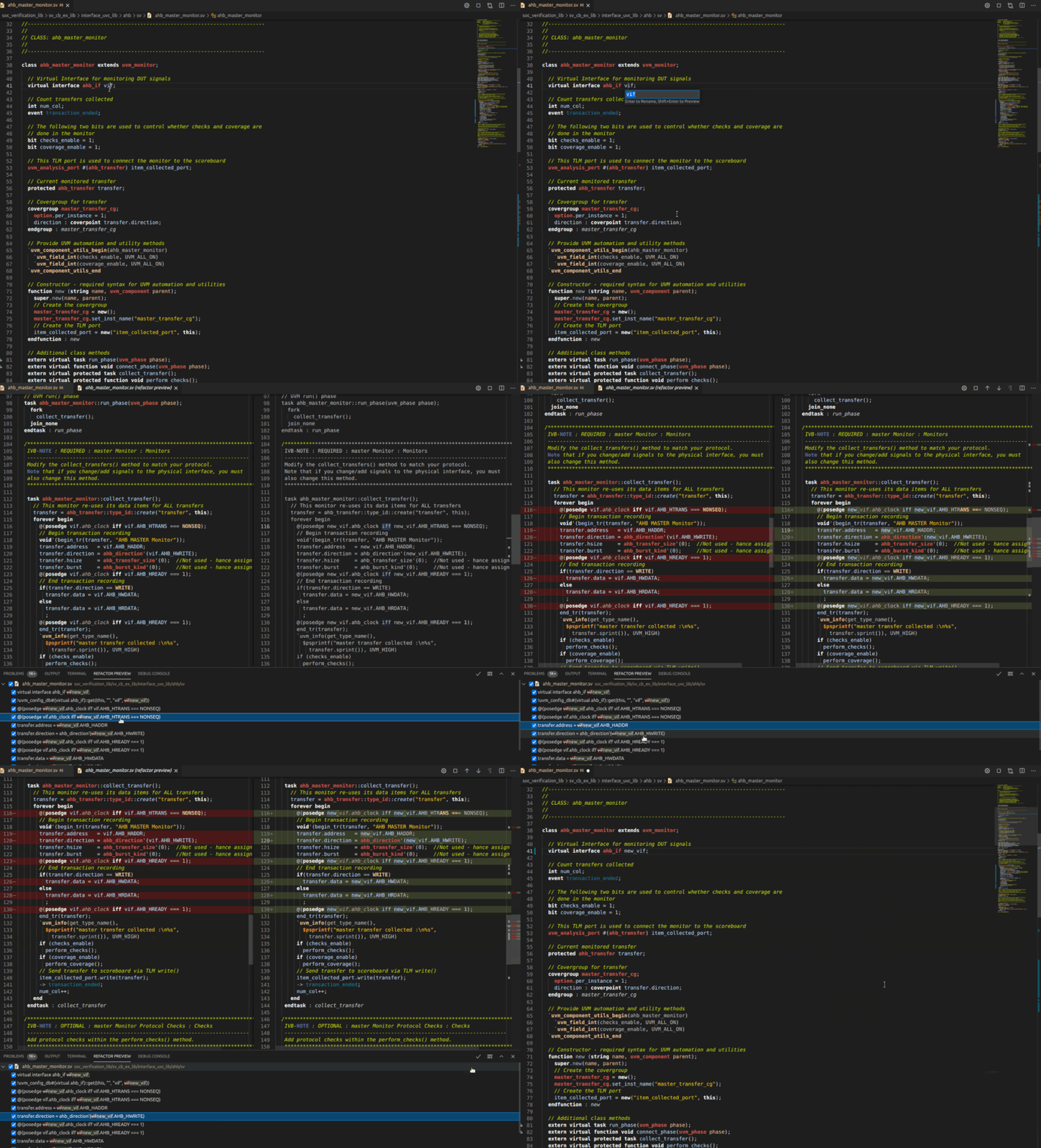
To rename an entity (type, method, macro, etc.) in the source code along with all its references, place the cursor on the desired element and use the Rename Symbol command.
Provide the new name of the entity and click Enter to perform the refactoring operation or Shift+Enter to preview and select the changes that should be performed in the source code.
Tip
Matches hidden inside a macro call (matches found inside a macro call expansion, but not among the macro call parameters) cannot be automatically renamed.
Instead, DVT will insert a // FIXME comment above the macro call to indicate that it should be refactored by hand.
Rename in File
To rename a variable, signal, method, etc. within the current file, select the name of the element and use the Replace command. Write the new name and choose to replace occurrence by occurrence or all of them at once.
This is a lightweight Rename Refactoring which you should use in contexts where the renamed element is local to the file: local parameters, method argument names, local variables, signals of a module, etc.
Extract to Method
You can easily move a code fragment to a separate new method. This is called extract method refactoring. It helps keeping methods shorter and easier to understand.
To move a code fragment to a separate new method, select a block of actions, right-click in the editor, run the Refactor command and select Extract to method or Extract to TCM.
A new method is created containing the selected code fragment, and the selection is replaced with a method call.
Note
Any local variables declared prior to the code fragment you extracted become arguments of the newly created method.
Tip
You may change the extracted method name in the edit box, right after the extract action is completed.