Managing AI-Generated Code Quality with Verissimo
Verissimo integrates with the DVT MCP Server and AI Assistant, providing a streamlined workflow for managing AI-generated code quality.
Verissimo lint can be triggered via DVT MCP tools in two ways:
Explicitly — call
dvt_lint_projectwith the desired ruleset and waivers file. The tool launches a Verissimo lint session using the provided arguments.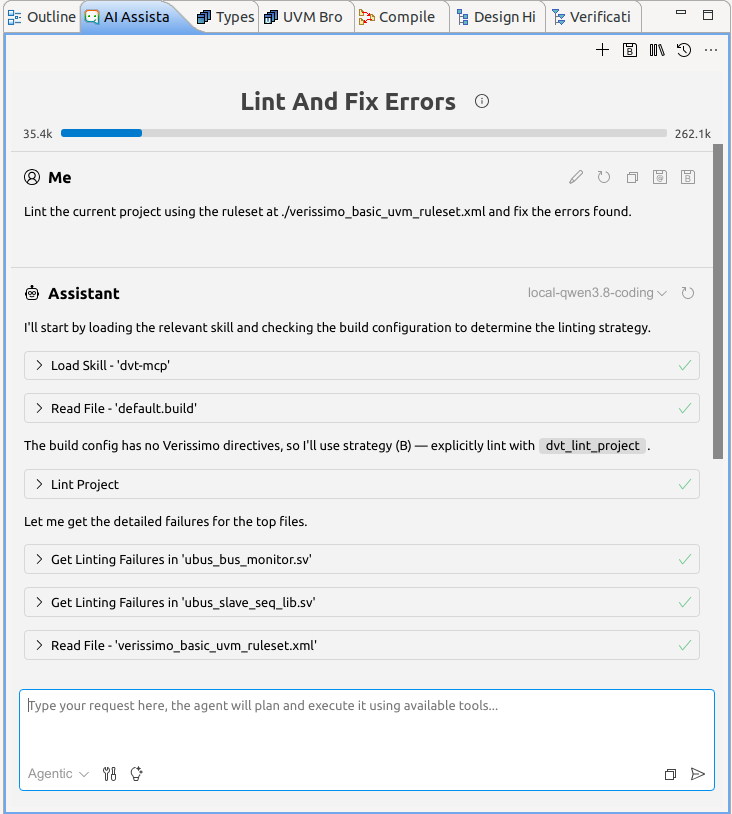
Implicitly — embed Verissimo directives in the build file; lint runs as part of the build flow.
To enable Verissimo, include the following directives in the default.build file:
 +dvt_verissimo_ruleset+.dvt/verissimo_ruleset.xml
 +dvt_verissimo_waivers+.dvt/verissimo_waivers.xml
 +dvt_verissimo_lint_on+FULL_BUILD+INCREMENTAL_BUILD
 +dvt_verissimo_use_baseline_report+./baseline_report
With these configurations, a linting session (utilizing the specified ruleset and waivers file) is initiated after each full and incremental build. Subsequently, resulting failures are filtered against the specified baseline report.
During interactive sessions where users continuously generate code via the AI Assistant, new failures emerge as the compiler incrementally builds modified files. To prevent overwhelming the AI with failures from unmodified code, only new failures (in comparison to the baseline) are returned to the LLM. This allows the model to focus exclusively on resolving newly introduced issues.
The baseline report can be generated either manually (by creating an HTML report with source code files included) or automatically. When starting the DVT IDE with the Verissimo directives, the first full build of the project triggers the creation of an HTML report reflecting the project’s current state once linting completes. This establishes a clean, error-free baseline for subsequent operations.
Consider the uvm_ref_flow_1.1 project as an example. After adding the default basic ruleset to the default.build file, we examine the gpio_lite.v file, which contains several pre-existing linting failures. We will use the DVT AI Assistant to generate code within this file.
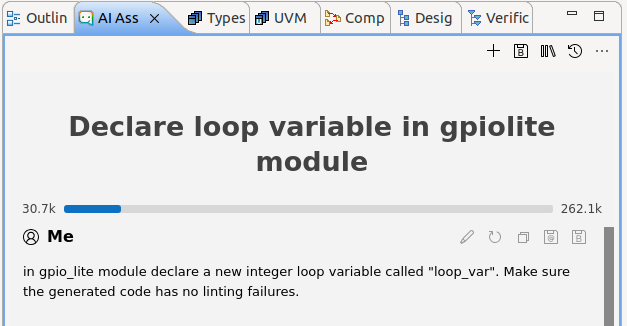
In a standard scenario without a baseline report, the LLM would attempt to resolve all errors present in gpio_lite.v. By utilizing the baseline report generated at the start of the session, these pre-existing errors are filtered out, allowing the LLM to concentrate only on failures coming from its generated code.
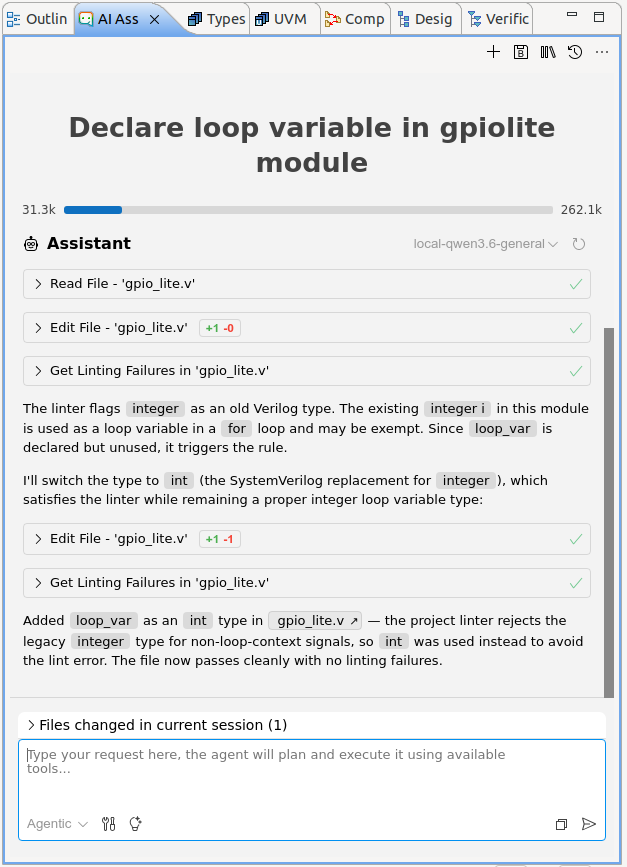
The LLM initially added the loop_var variable inside the module. Upon detecting that integer types are not allowed (as enforced by the Verissimo SVTB.5.2.1.1 linting rule: Do not use integer), it refactored the code, changing the variable’s type to int.