Working with Run Dirs
Any DVT IDE simulator run is bound to a run directory, by default dvt.run in the project directory. The simulation arguments are serialized in dvt_run.args, and artefacts such as the waveform dump and log are generated in this directory. Only one run dir can be opened at a time.
A status bar item indicates the currently open run dir. Hover to see its full path. Click on its icon to access the following actions:
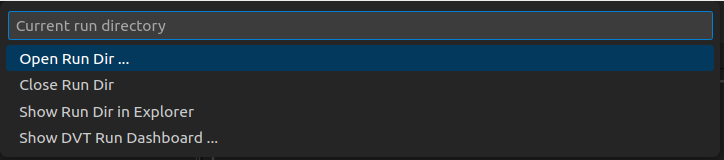
Open a different directory as run dir (closes the current one).
Close current run dir. If a simulation is in progress you will be prompted to stop it. If any simulation artefacts are open, such as a waveform dump, they will be closed as well. UVM elaboration views will fall back to statically computed data.
Show in Explorer reveals the Explorer and selects the run dir so you can quickly inspect its contents.
Show DVT Run Dashboard opens / brings into focus the DVT Run Dashboard.
Note that the run dir must be inside the current workspace.
Whenever you open a waveform dump, for example from the Explorer, the directory containing the dump file is automatically opened as current run dir. Note that it is not mandatory for the current run dir to contain the dvt_run.args file - for example if you open a waveform file generated by a third party simulator. However, once you open the DVT Run Dashboard or use the DVT: Run simulation command, the dvt_run.args gets created.