Forward All Implicit Port Connections
You can easily forward all implicitly declared port connections of an instance to the enclosing module’s ports list.
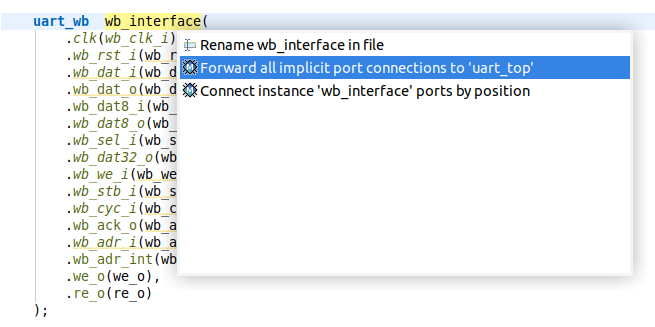
Place the cursor on the instance and press Ctrl+1, select Forward all implicit port connections from the list of quick assist proposals and press Enter.
If the module is instantiated across the project, the Preview window is opened allowing to see the changes that are about to be performed in the source code. In the Preview page you can select the changes that should be performed. After you click OK the changes are performed, and the project is rebuilt.
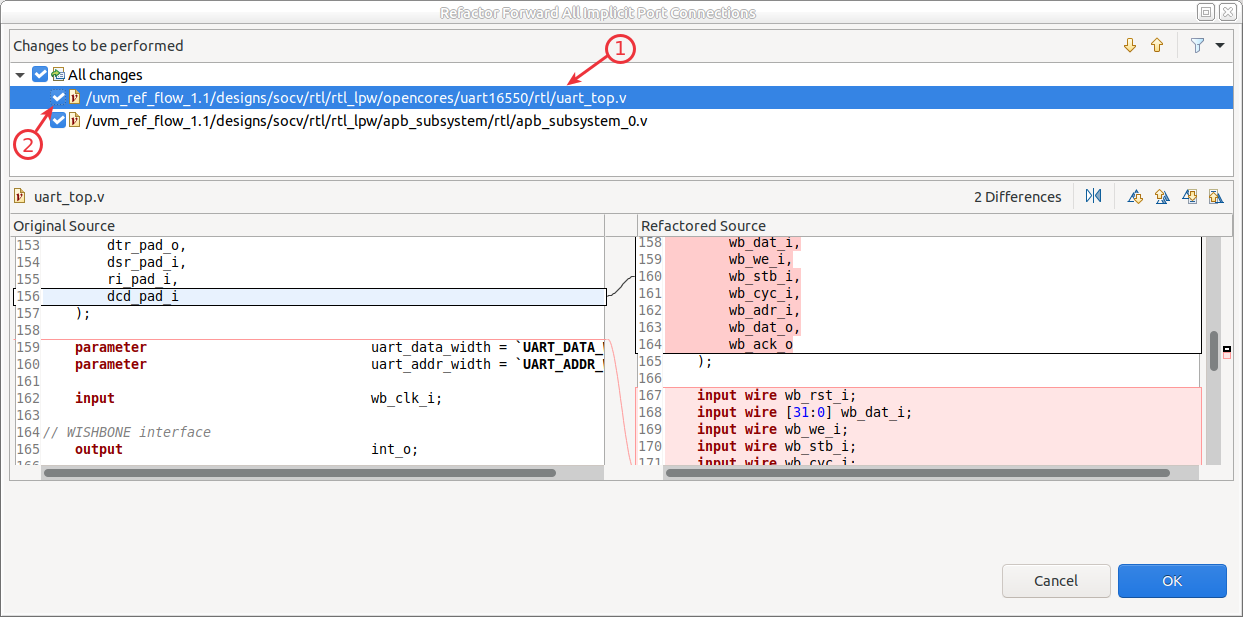
Select a file/change to see the source differences produced by the refactoring.
Uncheck a file/change to prevent those changes from being applied.
Note
Empty port connections are added to all the instances of the enclosing module along with a // FIXME comment.
Note
Port name, type and direction are automatically added based on the child‑module’s port definition.